
Bloxkeep guide › Multi-Roblox
Multi-Roblox
How to let several accounts play at once, what Multi-Roblox in the bar at the bottom is telling you, and which program opens Roblox.
Quick steps
- Open Bloxkeep before Roblox. If Roblox is already open, press Close all Roblox.
- Turn on the Multi-Roblox switch at the right end of the bar at the bottom, and confirm Turn on Multi-Roblox?.
- Check that no yellow light shows beside Multi-Roblox (point at it: "On: several Roblox windows can be open").
- Select your accounts and press Play. Keep Bloxkeep open while you play (the tray is fine).
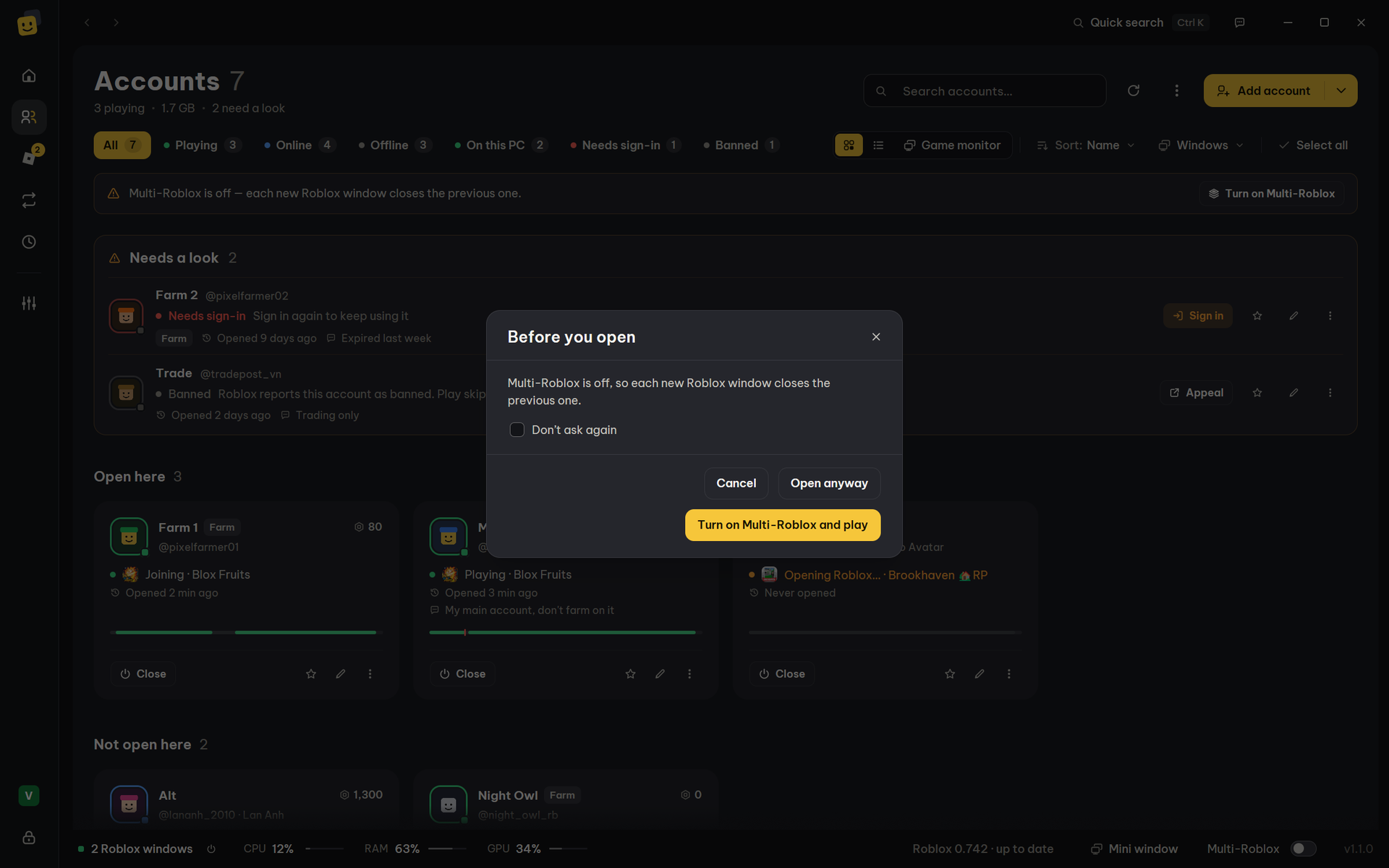
You can also press Play with Multi-Roblox off: the Before you open question offers Turn on Multi-Roblox and play.
What it is
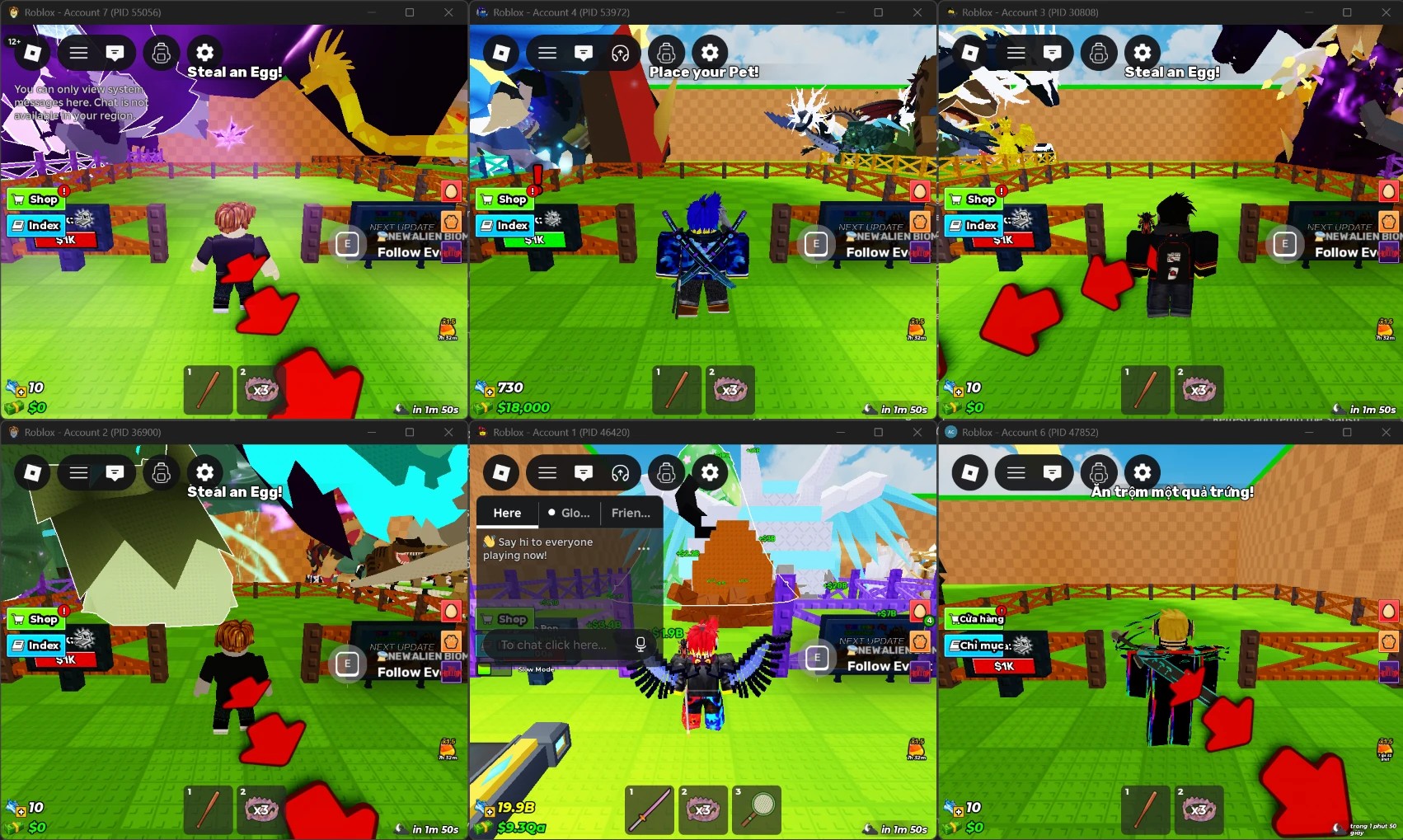
Roblox normally allows one window: opening a second one closes the first. Multi-Roblox lets several accounts play at once. It is off by default.
Roblox uses a lock to allow only one window. Bloxkeep holds that lock's name first, while no Roblox is running, so the windows don't close each other. Bloxkeep injects nothing into Roblox.
Warning
Roblox doesn't officially support running several clients, so use Multi-Roblox at your own risk.
In the bar at the bottom
Multi-Roblox and its switch sit at the right end of the bar at the bottom, on every page.
| What you see | Meaning | Clicking Multi-Roblox |
|---|---|---|
| The switch off | Off: one Roblox window at a time. | Opens the details. |
| The switch on, no light | On: several Roblox windows can be open. | Opens the details. |
| The switch on, a yellow light | Not working yet: Roblox was open before Multi-Roblox was turned on. | Opens the details with the fix. |
| Multi-Roblox in yellow | Roblox closed a window when another one opened, or the Multi-Roblox check found a change in the next Roblox build. | Opens Settings › Roblox version. |
Point at Multi-Roblox for what it means.
The same switch is in Settings › Launching › Multi-Roblox, with a pill (Off, Ready, Not ready) and a Details link.
Fixing "Not working yet"
- Close every Roblox, including the one in the system tray: press Close all Roblox.
- Only if Roblox starts with Windows: press Turn off autostart under Stop Roblox from starting with Windows (it then reads "Turned off ✓").
- Multi-Roblox turns on by itself and the yellow light goes.
Next time, open Bloxkeep before Roblox.
Windowed and tile
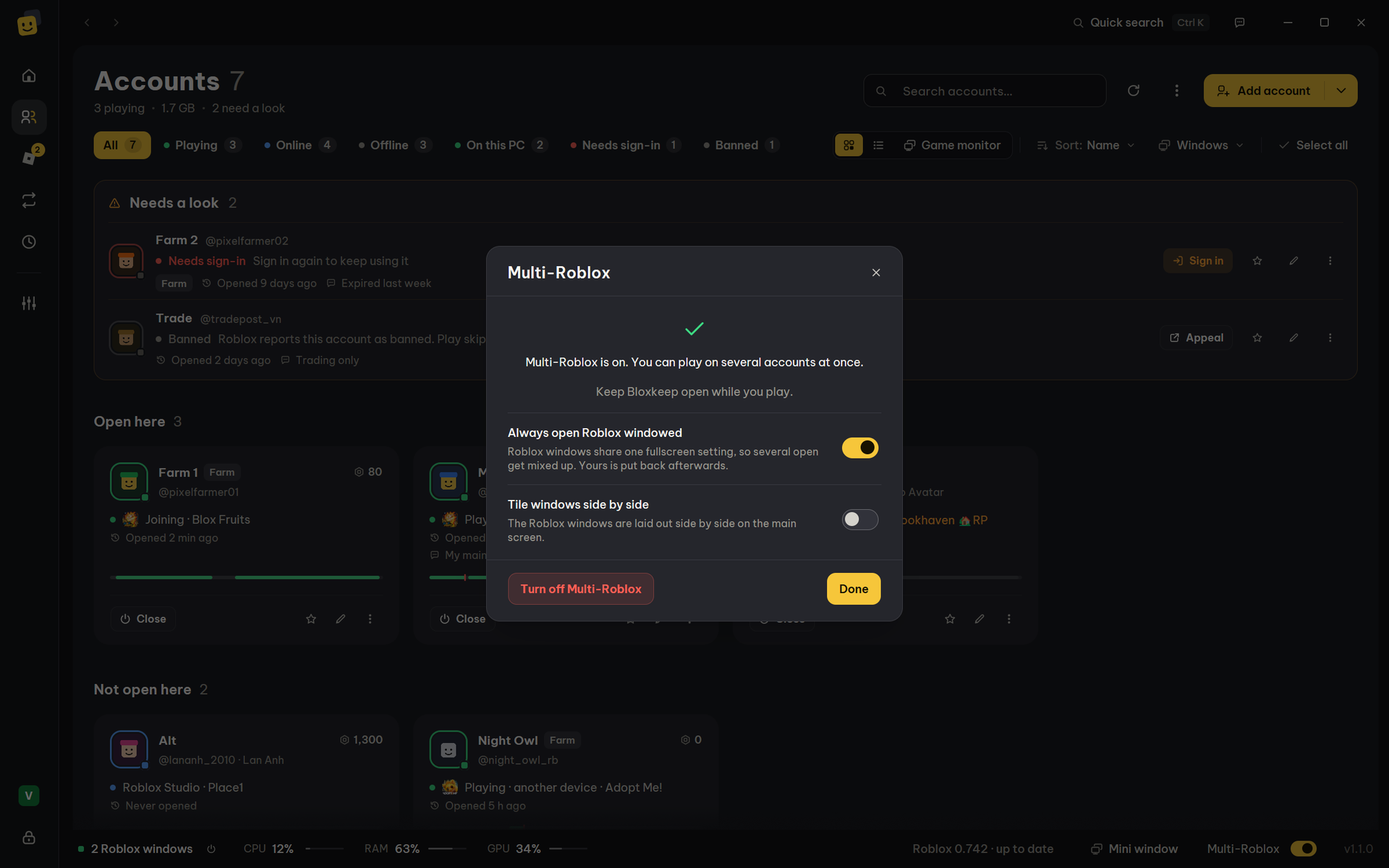
While Multi-Roblox is on, its details (click Multi-Roblox in the bar) have two switches:
| Switch | Default | What it does |
|---|---|---|
| Always open Roblox windowed | On | All Roblox windows share one fullscreen setting, so with several open some end up fullscreen and some don't. Bloxkeep opens them windowed and puts your setting back once they're open. |
| Tile windows side by side | Off | Once the accounts are open, the windows are laid out side by side on the main screen. Same as Settings › Launching › When a Roblox window opens › Tile windows side by side. |
Turn off Multi-Roblox at the bottom of the dialog turns the feature off.
The Multi-Roblox check
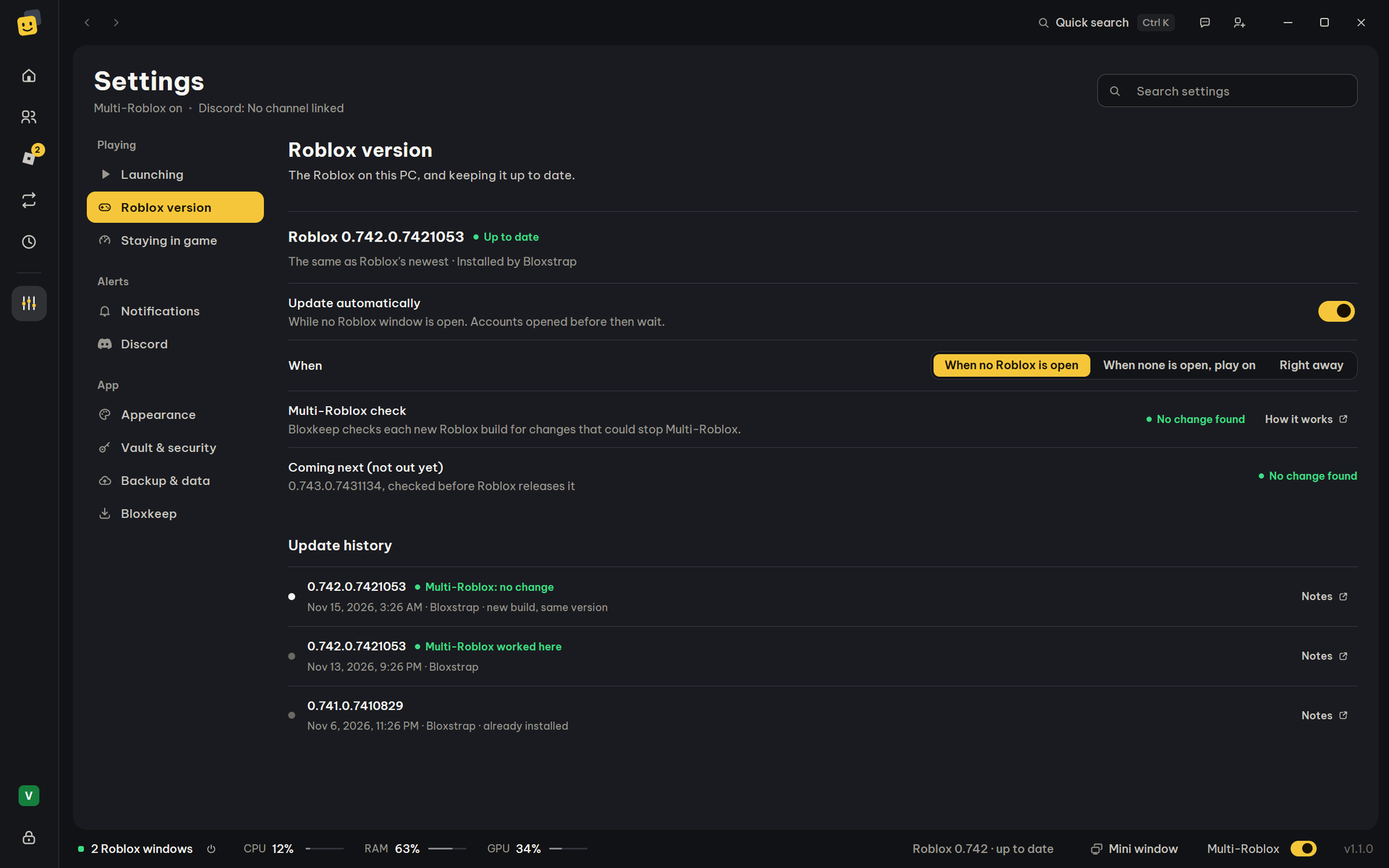
Find it under Settings › Roblox version › Multi-Roblox check. Bloxkeep checks each new Roblox build for changes that could stop Multi-Roblox, usually before the build reaches your PC.
| Result | Meaning |
|---|---|
| No change found | The lock is as before. |
| Worked on this PC | Two windows played together on this build here. That's proof. |
| Changed — Bloxkeep adapted | Roblox renamed the lock; Bloxkeep holds the new name too. Not proven yet. |
| Changed — may be blocked | The one-window code changed. |
| Likely blocked | The lock Multi-Roblox holds is gone. |
| Not checked yet / Couldn't check right now | No result yet. |
When it warns
- Keep playing as usual. If Roblox starts closing one window when the next one opens, Bloxkeep says so, and an update of Bloxkeep is the fix. Press Check for a Bloxkeep update.
- If Roblox already closed windows ("Roblox closed N windows when another one opened"), update Bloxkeep: a newer version may already fix it. Until then, play one account at a time.
- Until two windows have played together on that build, opening several accounts asks first (see Playing).
More details
- Coming next (not out yet) shows the result for a build Roblox hasn't released yet. Update history lists every build seen on this PC.
- Hide removes the "Roblox closed windows" note. It also goes once two or more accounts are in a game together, or when Roblox updates.
- How it works opens a longer explanation (in English): roblox-watch.md.
Open Roblox with
Settings › Launching › How Roblox opens, and waiting times › Open Roblox with chooses the program that opens Roblox. Bloxstrap, Fishstrap and Voidstrap keep your mods.
| Option | Notes |
|---|---|
| Default (name) | Whatever opens Roblox links on this PC. |
| Bloxstrap, Fishstrap, Voidstrap | Keep your mods. |
| Other Bloxstrap-style launchers | Listed when found on this PC. |
| Roblox (official) | The client from roblox.com. |
| Roblox directly (no launcher) | No launcher at all. Try it when a launcher blocks several windows. |
| Roblox (Microsoft Store) — being tested | Listed when the Microsoft Store's Roblox is installed. Each account opens in a window of its own. |
| Your launcher: name | A program you picked with Other launcher…. If it is moved or deleted, launching says so. |
| Roblox VNG | Roblox VNG's own client. Always last, and used only when you pick it. Greyed out when it isn't installed. |
An option that isn't installed shows "name — not installed" and is greyed out. When the Microsoft Store's Roblox is the only Roblox on the PC, a note here says so.
More details
Roblox (Microsoft Store): Bloxkeep starts the Store's Roblox inside its package with each account's own sign-in. It skips Microsoft's launcher screen, which allows only one window. The Microsoft Store still installs its updates. If it doesn't work, say so under Settings › Bloxkeep › Send feedback.
← User guide · Next: Presets →