Pick a game, pick a server
Find a game by name or link. Choose the server with the most players, the fewest, the lowest ping or room for all your accounts, or join a friend.
How it works ›Every Roblox account in one place. Pick a game, pick accounts, press Play, and each one opens in its own window.
Recorded in Bloxkeep itself, with made-up accounts.
Find a game by name or link. Choose the server with the most players, the fewest, the lowest ping or room for all your accounts, or join a friend.
How it works ›Games, friends, avatar, profile, shop and inbox for each account. Popular games come with their wiki, live news from the games' own alerts, and Blox Fruits prices.
How it works ›Save accounts, a game and a server and start them in one click, or on a schedule that also stops them, with timed restarts.
How it works ›A timeline of what each account played, why windows dropped and how much time it cost, and play time by account and game.
How it works ›Nearly 100 themes, some of them moving scenes, or a picture or video of your own behind the page.
How it works ›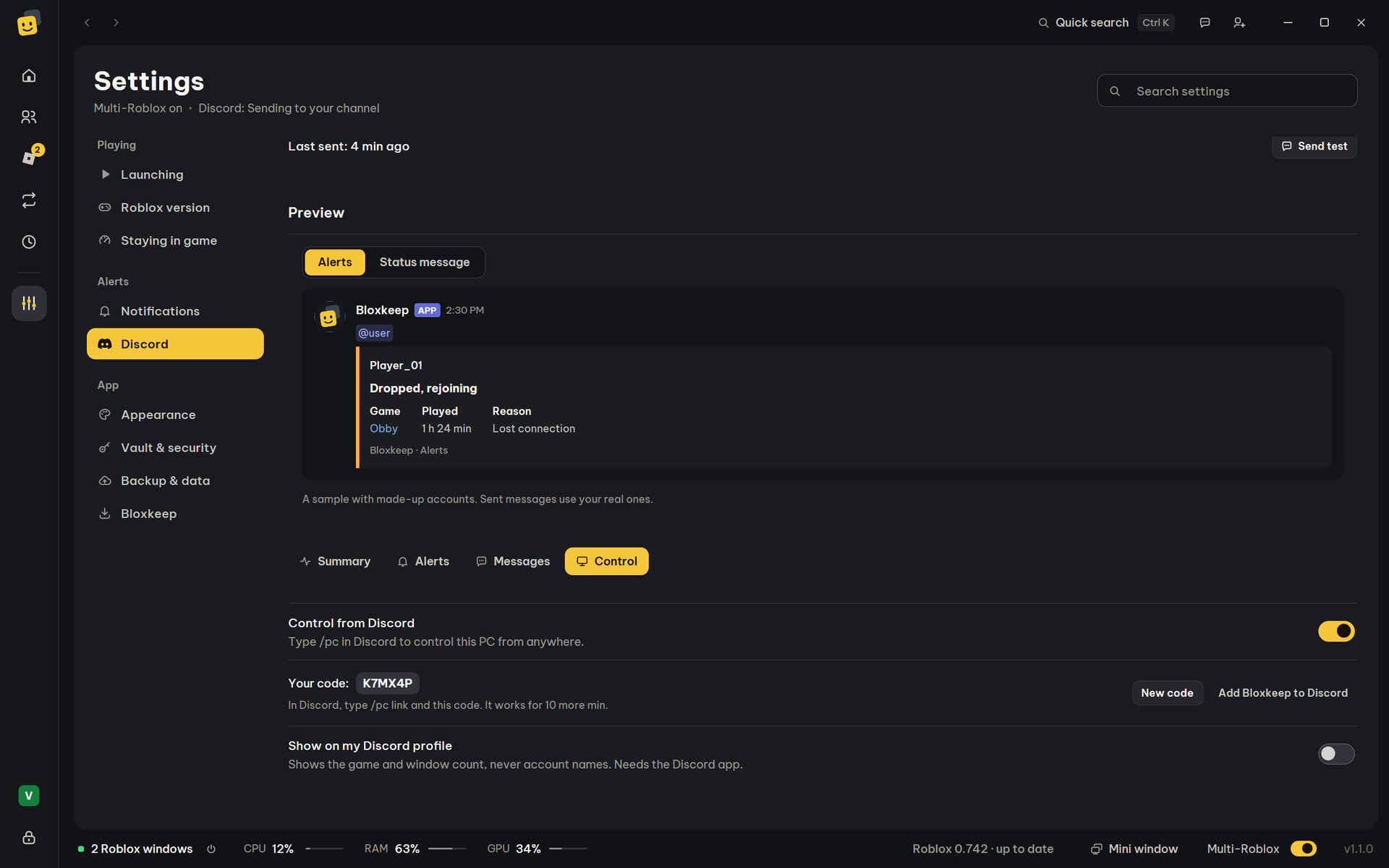
Type /pc in Discord to see your accounts, a picture of their Roblox windows (/pc screenshot), run a preset, close windows or switch server, from anywhere.
How it works ›Add accounts with a code from the Roblox phone app, a password (2-step verification works), the Roblox page or a cookie. See who is online, in a game or needs to sign in.
Anti-AFK keeps windows from being kicked for idling. Auto-rejoin goes back in after a disconnect, waiting a little longer each try instead of giving up.
Live pictures of every Roblox window, a mini window, and a warning before RAM or Windows' virtual memory runs out.
Steps written as plain sentences: press keys, click, wait for a picture, a color or text. Record one or start from a template; a small panel sits beside the game.
Pick a layout from pictures, like Windows' snap layouts, or a size of your own. Ctrl+Alt+A arranges them from any app.
Alerts, a live status message and play-time summaries in your own Discord channel.
Graphics, FPS and volume for each account. Open Roblox with Bloxstrap, Fishstrap, Voidstrap or your own launcher.
Accounts are encrypted with your master password and stay on your PC. Back them up to a OneDrive or Google Drive folder and restore them on a new PC.
New versions install by themselves while you aren't using Bloxkeep. Your Roblox windows keep running.
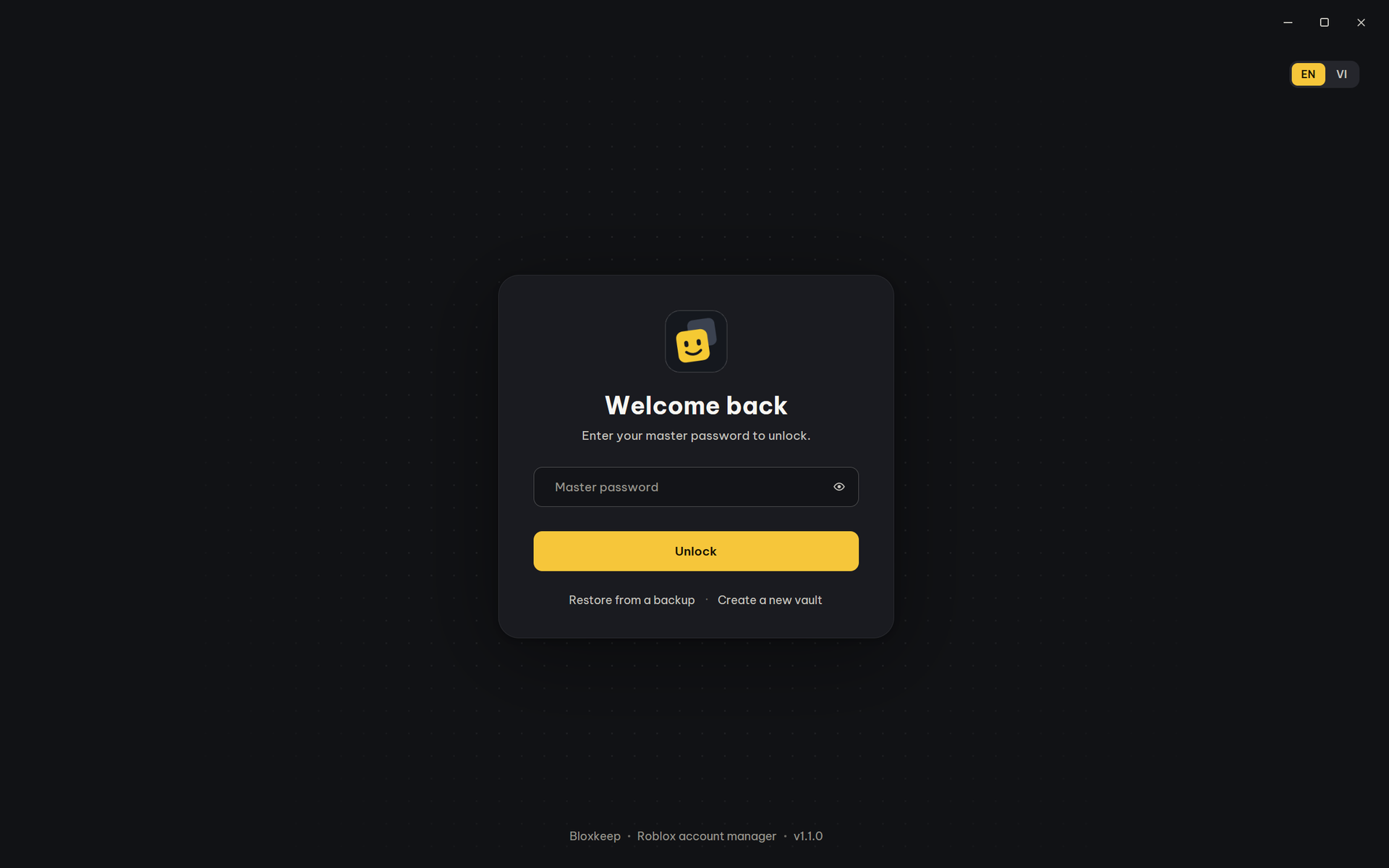
It unlocks Bloxkeep and keeps your accounts encrypted. It can't be recovered, so pick one you'll remember.
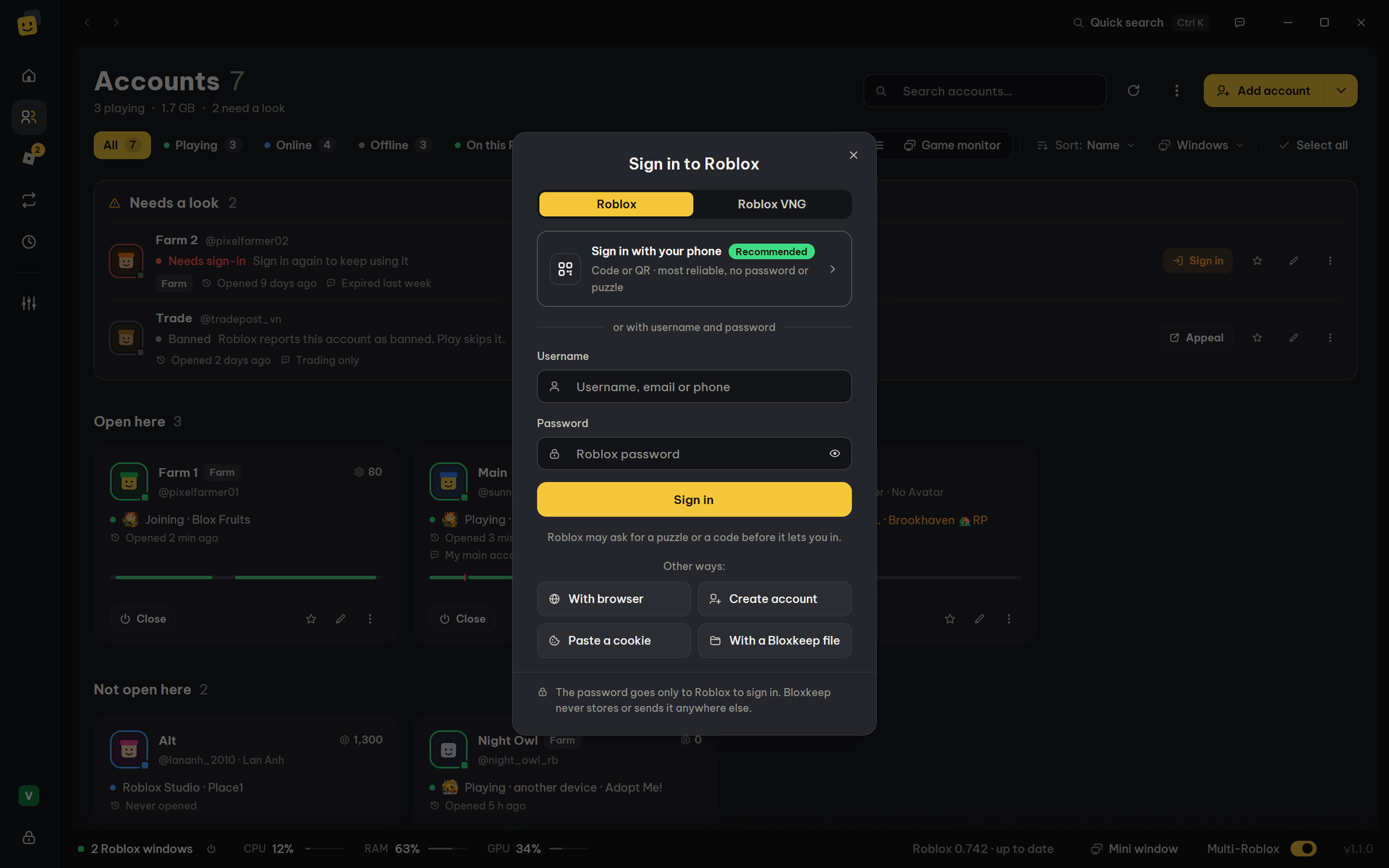
Sign in with your phone (recommended), a username and password, or a browser window.
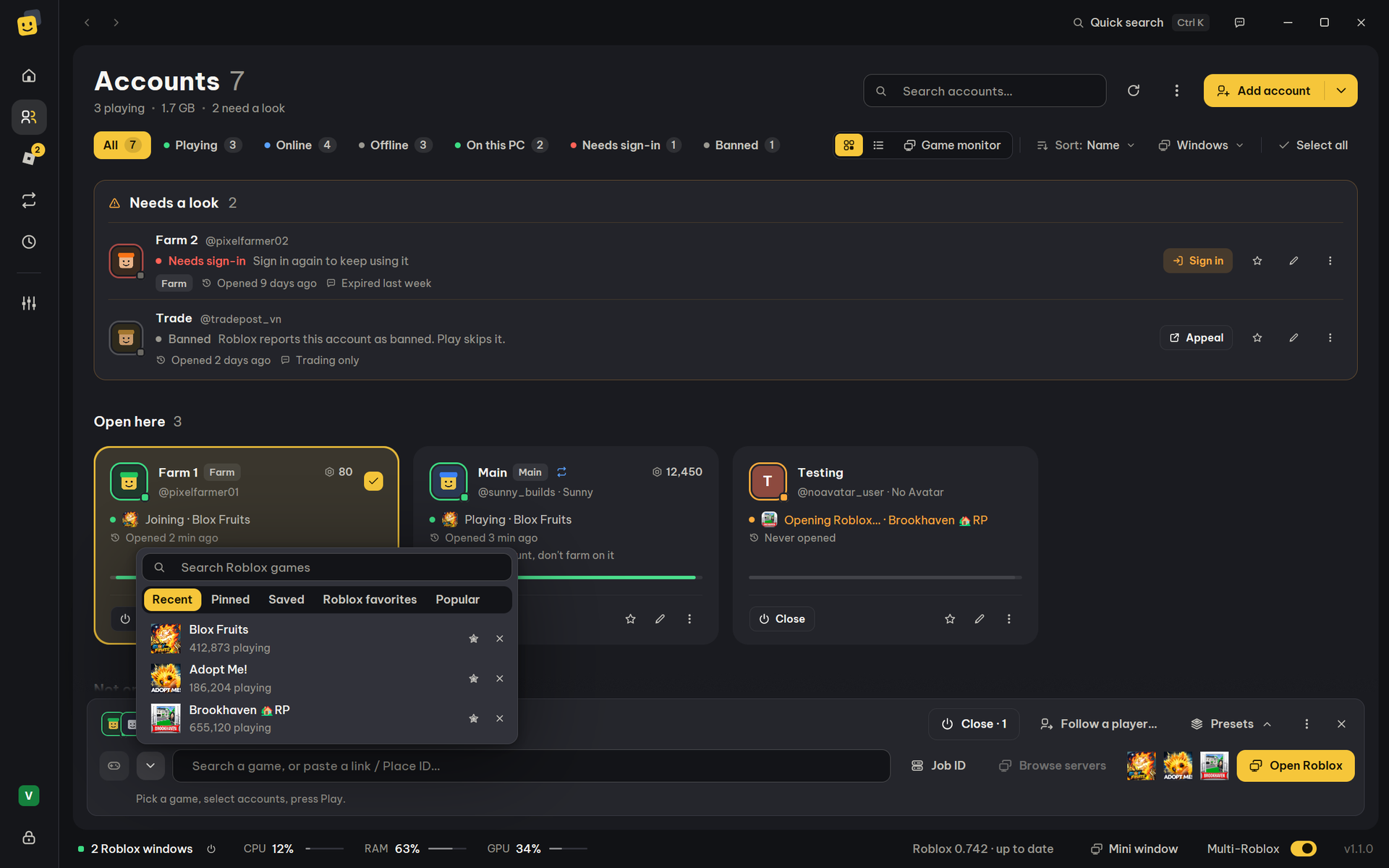
On Accounts, type a game in the bar at the bottom, click accounts to choose them, press Play.
Redrawn from scratch: a Home page with the game you play, your games and presets, and a new look on every page, with themes, icons and motion of its own.
Games, friends, avatar (in 3D), profile, shop and inbox for each account, every account in a tab of its own.
Roblox’s figures, events you can join or be reminded of, news, servers, its wiki, and how your accounts did there this week.
An account’s warnings and appeals, and Roblox’s privacy options, without leaving Bloxkeep.
Bloxkeep has no server of its own. Your accounts are kept in a file on your PC, encrypted with your master password.
Every line is public on GitHub, and the downloads are built by GitHub from that source, so anyone can check them.
Multi-Roblox injects nothing into Roblox: it only keeps Roblox from closing the other windows.
Only download Bloxkeep from its GitHub Releases page or this site. A copy from anywhere else may have been changed to steal accounts.
Ask for help, share an idea, and hear about Roblox updates and new Bloxkeep versions as they happen.
Join the serverFree. A quick check when you join keeps scam bots out. English everywhere, Vietnamese in #general-vn.
 Bloxkeep
Info
Support
Community
Ask the bot/multiDoes Multi-Roblox work on the current Roblox, and the one coming next?
Yes. It is free and open source under the MIT license, with no account or subscription.
No one can promise that. Roblox doesn't officially support several clients, and some games forbid alt accounts. Bloxkeep signs in and opens games the way roblox.com does and never touches the game's memory.
Roblox doesn't officially support running several clients, so use Multi-Roblox at your own risk. It is off until you turn it on.
A macro only presses keys and clicks in the Roblox window and looks at its picture, like a person would. It never reads or changes the game's memory. Some games still forbid macros: check the game's rules.
Ask in #help on Bloxkeep's Discord, read the guide, use Send feedback in the app (Settings › Bloxkeep), or open an issue on GitHub.
No. It uses WebView2, a part of Windows, whatever browser you use; Setup installs it if it is missing.
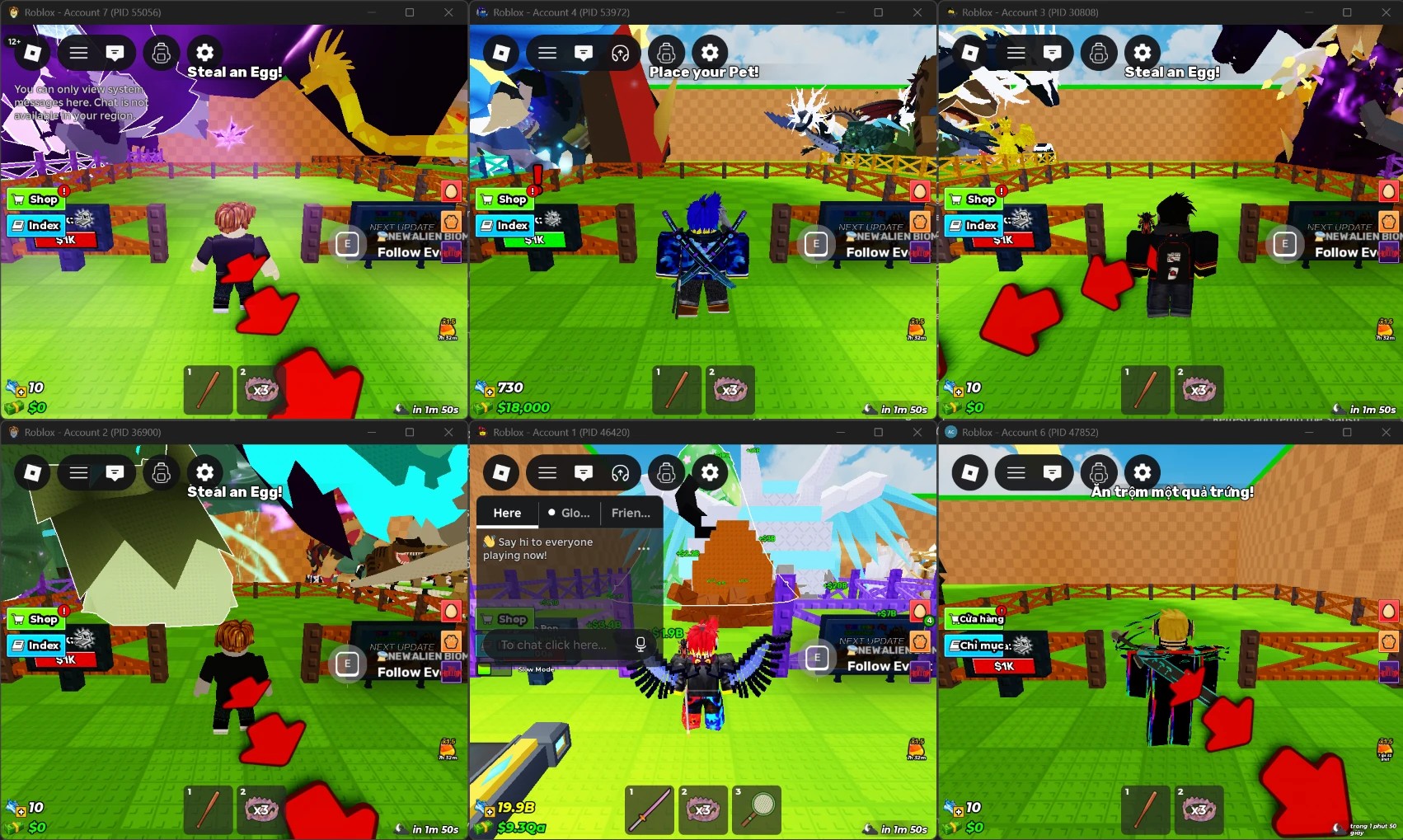
Yes: the screenshot above is real, six accounts at once on one PC. Roblox can change how it blocks several windows in any update, so Bloxkeep checks every new Roblox build and tells you when one may stop it.
It can't be recovered. Restore a backup whose password you remember, or start over.
No, Windows 10 and 11 only.
Free for Windows 10 and 11. Your accounts stay on your PC.
The files aren't code-signed yet, so Windows SmartScreen may warn the first time: click More info, then Run anyway.