
Bloxkeep guide › How to run multiple Roblox accounts at once on Windows
How to run multiple Roblox accounts at once on Windows
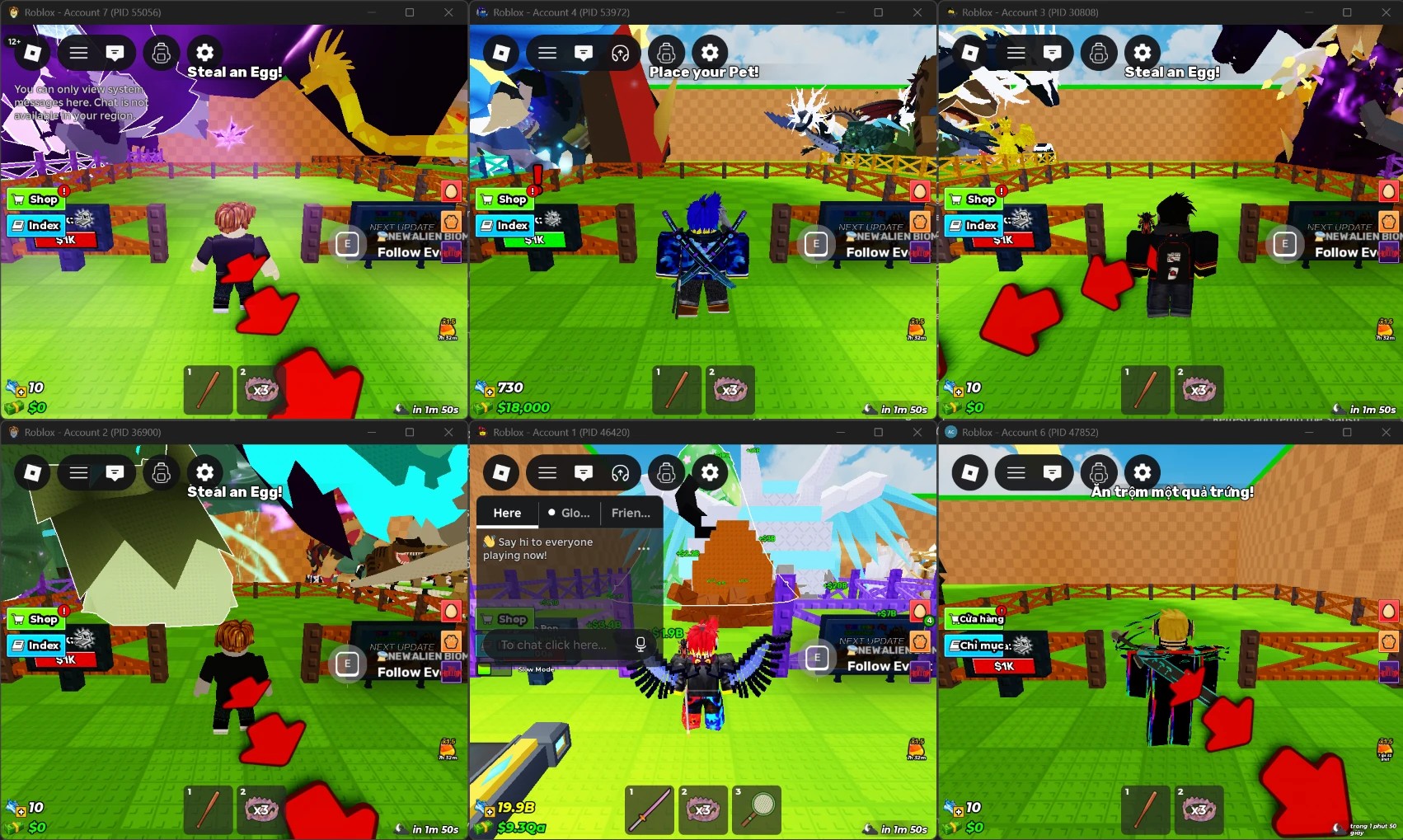
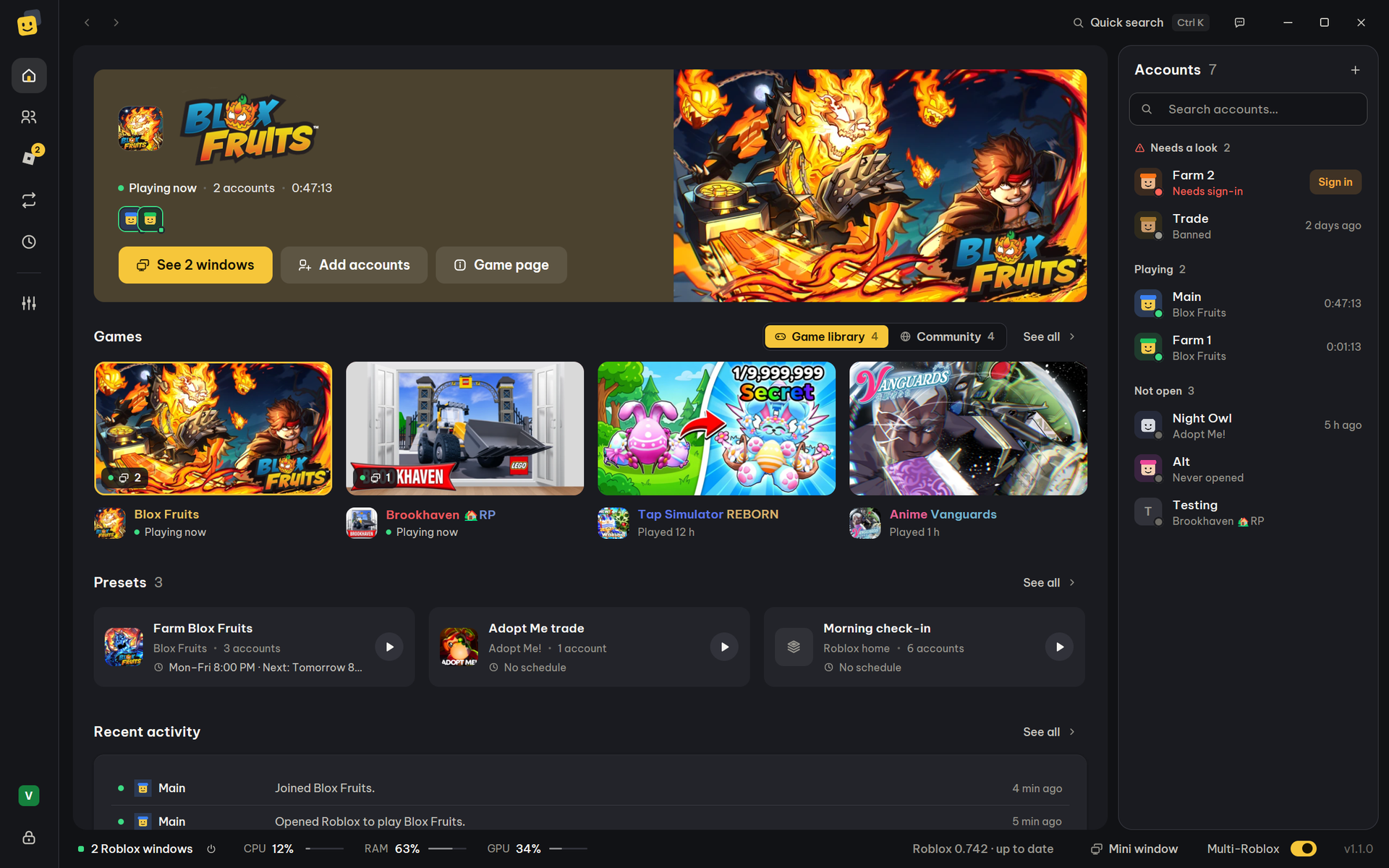
Roblox normally allows one window on a PC: opening a second one closes the first. To play on several accounts at once, turn on Multi-Roblox in Bloxkeep, a free, open-source account manager for Windows 10 and 11, then select your accounts and press Play. Each account opens in its own window.
Quick steps
- Download Bloxkeep, run
Bloxkeep-Setup.exe, and set a master password. - Click Add account and sign in to each Roblox account.
- If Roblox is already open, press Close all Roblox. Then turn on the Multi-Roblox switch at the right end of the bar at the bottom.
- Check that the light is green and it says On.
- Pick a game, select your accounts and press Play. Keep Bloxkeep open while you play (the tray is fine).
Warning
Roblox doesn't officially support running several clients, so use Multi-Roblox at your own risk. Some games also have their own rules about alt accounts.
After they open
| You want to | Use | More |
|---|---|---|
| Put every account in one server | Pick the server under Browse servers (Use), select the accounts and press Play. | Playing |
| See every window at once | Windows › Arrange Roblox windows | Windows and statistics |
| Get back in after a disconnect | Auto-rejoin | Staying in game |
| Not be kicked for idling | Anti-AFK | Staying in game |
| Fit more accounts on the PC | RAM limit when minimized or hidden | Staying in game |
| Open the same accounts with one click, or on a schedule | Presets | Presets and schedules |
Questions
Q: Is Bloxkeep free?
A: Yes. It is free and open source under the MIT license.
Q: Does it inject anything into Roblox?
A: No. Roblox uses a lock to allow only one window, and Bloxkeep holds that lock's name first, while no Roblox is running. Multi-Roblox explains it.
Q: Can I get banned for this?
A: Nobody can promise you won't. Roblox doesn't officially support several clients, and some games forbid alt accounts, so check the rules of the game you play.
Q: How many accounts can I run?
A: It depends on your PC and the game, because each window needs RAM of its own and a heavy game can hold several GB. Start with a few and add more. Bloxkeep can warn you when RAM runs low.
Q: Where are my accounts kept?
A: On your PC, encrypted with your master password. Backup and security has the details.
Q: The windows close each other. What now?
A: Close every Roblox, including the one in the system tray, then turn on Multi-Roblox again. See Fixing "Not working yet".
Q: Does it work on Mac or on a phone?
A: No. Bloxkeep runs on Windows 10 or 11, 64-bit.
← User guide · Next: Getting started →